KidloLand Kids & Toddler Games
IDZ Digital Private LimitedEducational
4.61.17K Reviews
- Version
- Varies With Device
- Installs
- 10.00M
- Age Rating
- Everyone
Screenshots

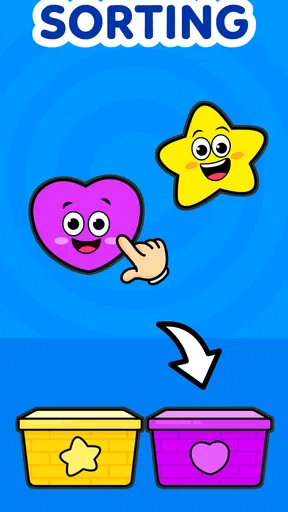
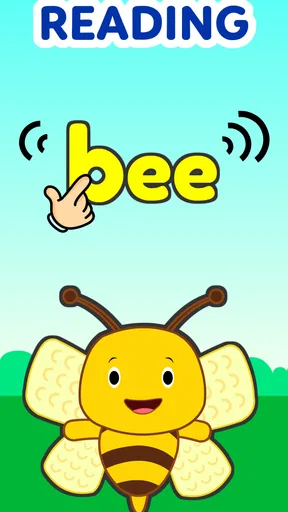
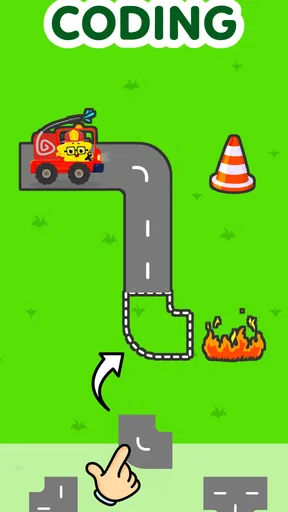
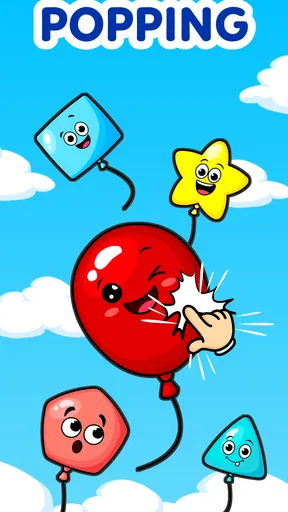
Our Review of KidloLand Kids & Toddler Games
 Analysis by Appyee
When a toddler opens a game, the first test is simple: can they do something without an adult taking over? With KidloLand Kids & Toddler Games, the basic appeal is that a child can tap, watch a response, and try again. I like that action-and-feedback rhythm for short stretches of play, though I’d still treat it as a shared activity rather than a substitute for a person reading or playing alongside them.
A small first step into screen play
The game is aimed at preschoolers, including children around ages two, three, and four, so the useful starting point is not a lesson plan but a moment of curiosity. A parent can sit nearby, let the child choose an activity, and see whether the tap-and-see interaction makes sense to them. That first attempt also gives you a quick read on whether the material feels manageable or whether your child needs more guidance.
I’d keep the first visit brief and let the child explore one thing at a time. That helps avoid turning a colorful screen into a rapid sequence of unrelated distractions. If they lose interest, there is little value in pushing them to finish; the point is to see whether the activity invites another voluntary try.
What the feedback rhythm can do
KidloLand is an educational game from IDZ Digital Private Limited. Its intended audience is young children, and the age rating is Everyone. In practical terms, that makes it a candidate for a family’s supervised screen-time options, not a reason to hand over a device without checking how the child is using it.
The educational framing suits parents who want play to touch on early learning rather than offer only open-ended entertainment. I’d use it as a small prompt: after an activity, ask the child what they noticed, name an object together, or invite them to point out a shape away from the screen. That kind of follow-through is where a quick tap can become a conversation instead of a passive viewing session.
When the reward is another attempt
The appeal for a young child often comes from seeing an immediate response to an action. That gives them a reason to tap again, but the adult can make the reward more meaningful by pausing and letting the child describe what happened. I wouldn’t measure success by how long they stay on the app; a short, cheerful interaction can be more useful than an extended session that ends in crankiness.
A practical routine is to decide on a stopping point before handing over the device. You might play together during a quiet part of the afternoon, then switch to a snack, a book, or a toy when the child is ready to move on. This keeps the game in the role of one activity among several, rather than the default answer whenever a child is bored.
Knowing when to reset
The game is free to download, with in-app purchases ranging from $1.99 to $59.99 per item. That is worth discussing with another caregiver before a child uses it, especially if the device is shared. I’d look at purchase settings and agree on a household rule in advance, so an eager tap does not turn into an unexpected buying decision.
KidloLand has an average rating of 4.4 from around 41,000 ratings, and it has been installed more than 10 million times. Those figures suggest that many families have tried it, but they can’t tell you whether its style will suit your particular child. The better test is whether your child can engage with it calmly and whether you are comfortable with the way the available content and purchase choices fit your routines.
It was released on April 19, 2013, and sits in a crowded space alongside simple alphabet games, nursery-song apps, and general preschool learning games. Compared with a single-purpose ABC app, a broader collection can be more convenient when a child’s interest changes from letters to another early-learning topic. The trade-off is choice: a wide menu may make it harder to settle on one activity, so I’d help a younger child choose rather than expect them to browse independently for long.
Fun and Educational Content Galore
First things first, let me tell you what struck me right off the bat. KidloLand Kids & Toddler Games is a treasure trove of content. We're talking over 2000 activities, ranging from interactive nursery rhymes, stories, games, and songs. It’s like having a mini preschool in your pocket! The developers have really outdone themselves in offering diverse and engaging material.
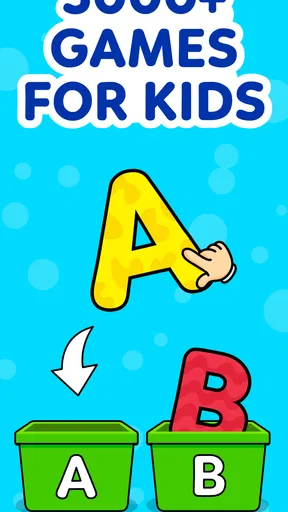
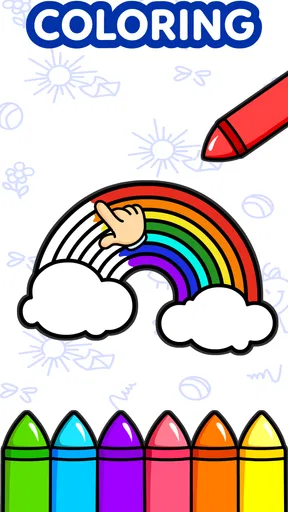
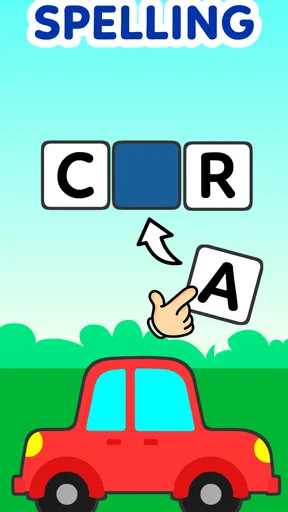
The app covers a wide range of subjects. Whether it’s ABCs, numbers, shapes, or even basic science, KidloLand has got it covered. The animations are vibrant and the characters are downright adorable, which keeps the little ones intrigued. I found that the interactive elements, like tapping to make characters move or objects change, really captured the attention of my young testers.
Easy Navigation for Little Fingers
Now, let’s talk about usability. The app is designed with kids in mind, which means it’s super intuitive. The interface is clean and colorful, with large icons that are easy for tiny fingers to navigate. Even if your toddler isn’t a tech whiz yet, they’ll be able to figure out how to use this app pretty quickly.
Each activity is neatly categorized, making it a breeze to find what you’re looking for. This is especially handy when you’ve got a toddler who’s suddenly obsessed with, say, dinosaurs. You can just head straight to the dinosaur games and stories section. It’s great for those moments when you need to switch gears and keep the peace.
Parental Peace of Mind
As a parent, I know how important it is to ensure that the content your child is consuming is safe and appropriate. KidloLand shines in this department, offering an ad-free experience once you've subscribed. This means no unexpected pop-ups or inappropriate content sneaking in. Plus, there’s a handy parental control option that lets you manage what your child accesses, providing that extra layer of security.
Another feature that I really appreciated is the offline availability. You can download content for those long car rides or when you’re out and about without Wi-Fi. It’s a lifesaver for keeping tantrums at bay!
A Subscription That’s Worth It
Let’s chat about the subscription model. Yes, some might balk at the idea of paying for an app, but hear me out. The subscription grants you access to all the content, and considering the sheer volume and variety available, it’s well worth it. The app offers a free trial, so you can dip your toes in before committing. Once you see how much your child enjoys it, the decision becomes a no-brainer.
Because the app is free to start and includes in-app purchases, I’d avoid framing a subscription as an automatic bargain. The right choice depends on what your child actually returns to and how often your family uses it. I’d first see whether the free experience fits your routine, then decide whether paid access is worthwhile for your household. A collection can feel generous while still being less useful than a smaller set of activities a child genuinely enjoys.
For a rainy afternoon at home, I’d sit beside a child and let them choose between a song, story, or game, then use that choice to guide a short follow-up away from the screen. On a trip, the offline option described above can be more practical than relying on a connection, provided you prepare the material beforehand. That preparation is the less obvious part of using a broad children’s app: a few minutes of adult setup can make the difference between a smooth quiet-time activity and a child repeatedly asking for help.
KidloLand is most compelling for families who want variety in one place and are happy to supervise a preschooler’s choices. It is less suited to parents who want a tightly structured curriculum, a single skill tracked from lesson to lesson, or a completely hands-off experience. If your child responds better to physical puzzles, picture books, or an adult-led activity, those alternatives may be a better fit; the app works best as a companion to those things, not a replacement for them.
Final Thoughts: A Must-Have for Parents
In conclusion, KidloLand Kids & Toddler Games has won me over. It’s a thoughtfully designed app bursting with educational content that’s both fun and engaging. The app’s ease of use, coupled with its kid-friendly design, makes it a winner in my book. If you’re on the hunt for an app that combines learning with play, this one should be at the top of your list.
So, is KidloLand worth downloading? Absolutely. It’s a fantastic way to sneak in some learning during screen time, all while knowing your child is safe and entertained. Go ahead and give it a whirl—you won’t be disappointed!
Verdict
Strengths of KidloLand Kids & Toddler Games
- Engaging educational content for kids.
- Colorful and interactive user interface.
- Wide variety of games and activities.
- Regular updates with new content.
- Safe and ad-free environment for children.
Limitations of KidloLand Kids & Toddler Games
- Requires subscription for full access.
- Large app size may affect storage.
- Limited offline functionality.
- Some games may be too simple for older kids.
- Occasional lag on older devices.
Other Releases by IDZ Digital Private Limited
View All
Kids Coloring Pages & Book
Educational4.3

Ice Cream Shop Games for Kids
Educational4.6

Toddler Games for 2-3 Year Old
Educational3.6

Coloring Games for Kids: Color
Educational4.6
Similar Picks in This Category
View All
Little Panda Policeman
BabyBus4.0

Monster Trucks Game for Kids 2
Raz Games4.1

Little Panda's Chinese Recipes
BabyBus4.4

Little Panda's Restaurant
BabyBus4.4

Little Panda's Ice Cream Games
BabyBus4.3

Baby Panda Care
BabyBus3.8
Frequently Asked Questions
Is KidloLand suitable for my child's age group?
KidloLand is designed for children aged 1 to 8 years old. The app offers a variety of age-appropriate activities, including songs, games, and stories. Each feature is tailored to different developmental stages, ensuring that your child has a fun and educational experience. Always check the specific content to match your child's age and interests.
Does KidloLand require an internet connection to use?
KidloLand primarily functions offline, allowing children to enjoy activities without an internet connection after initial download. However, some features may require updates or additional downloads that need internet access. This makes it convenient for use during travel or in areas with limited connectivity.
Are there in-app purchases or subscriptions in KidloLand?
KidloLand operates on a subscription model, offering a free trial period to explore the app. After the trial, a subscription unlocks full access to all content. While there are no unexpected in-app purchases, it's important to manage subscriptions through your app store's settings to avoid unintended charges.
How does KidloLand ensure a safe environment for my child?
KidloLand prioritizes safety by not including ads or third-party links that could redirect children outside of the app. It also features a parent lock system for settings and purchases, ensuring that only adults can make changes or purchases. This creates a secure environment for kids to explore and learn.
What types of educational content does KidloLand offer?
KidloLand provides a rich variety of educational content, including interactive games on numbers, colors, shapes, and letters. It also features engaging stories and nursery rhymes. This diverse content caters to different learning styles, helping children develop cognitive and motor skills while having fun.
Play our best games!


